Create a video

ModelSeedance 2.5 Edit

Configured for this template

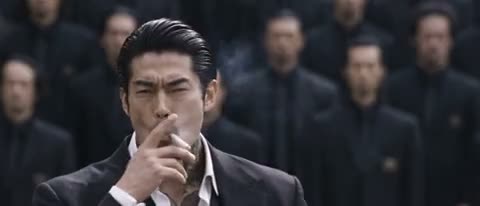
Crowd dance reference · 27.6s

Lead photo
Crowd photo

STORM II AI Video Generator

One character at the center. A crowd moving together. STORM II AI uses two separate references to recast the lead and supporting formation in the loaded performance.

STORM II AI supplied performance reference

Build the contrast between one and many

STORM II AI pairs a distinct central lead with a crowd performing synchronized movements and deep bows. Your first reference describes the lead; the second supplies the surrounding cast’s appearance. STORM II AI gives you two visual decisions without having to film a large group. The loaded clip supplies movement, positions, camera, and timing. Watch how the middle of the frame contrasts with the formation before selecting your two references.

STORM II AI: Build the contrast between one and many

Make your STORM II AI video

Preview the performance, assign your references, and review the result.

  1. STEP 1

    Preview the formation

    Play the STORM II AI source and identify the central lead before looking at the crowd. Notice how the group moves in relation to that person.

  2. STEP 2

    Assign a lead and a crowd

    Upload Photo 1 for the STORM II AI lead and Photo 2 for the surrounding characters. Keep the visual identities distinct and check both slot previews. Use Replace if you change a reference, so that the remaining photo stays in its intended role.

  3. STEP 3

    Generate the complete sequence

    Review the estimate, sign in, and start STORM II AI when both images and the performance reference are ready. Inspect the generated group during its strongest movements, then listen to the delivered sound. Download the available result from your account after checking the whole clip.

Explore the STORM II AI scene

Choose a lead and a crowd reference for a synchronized group performance.

Keep the lead unmistakable

Photo 1 in STORM II AI should make the main character easy to identify. Show the clothing, hair, body proportions, and visible details that you want to carry through the performance. A strong color contrast between this person and the crowd can help the composition remain readable as people lean and move nearby. STORM II AI asks the central figure to follow only the source lead’s movement; the crowd reference should not take over that role.
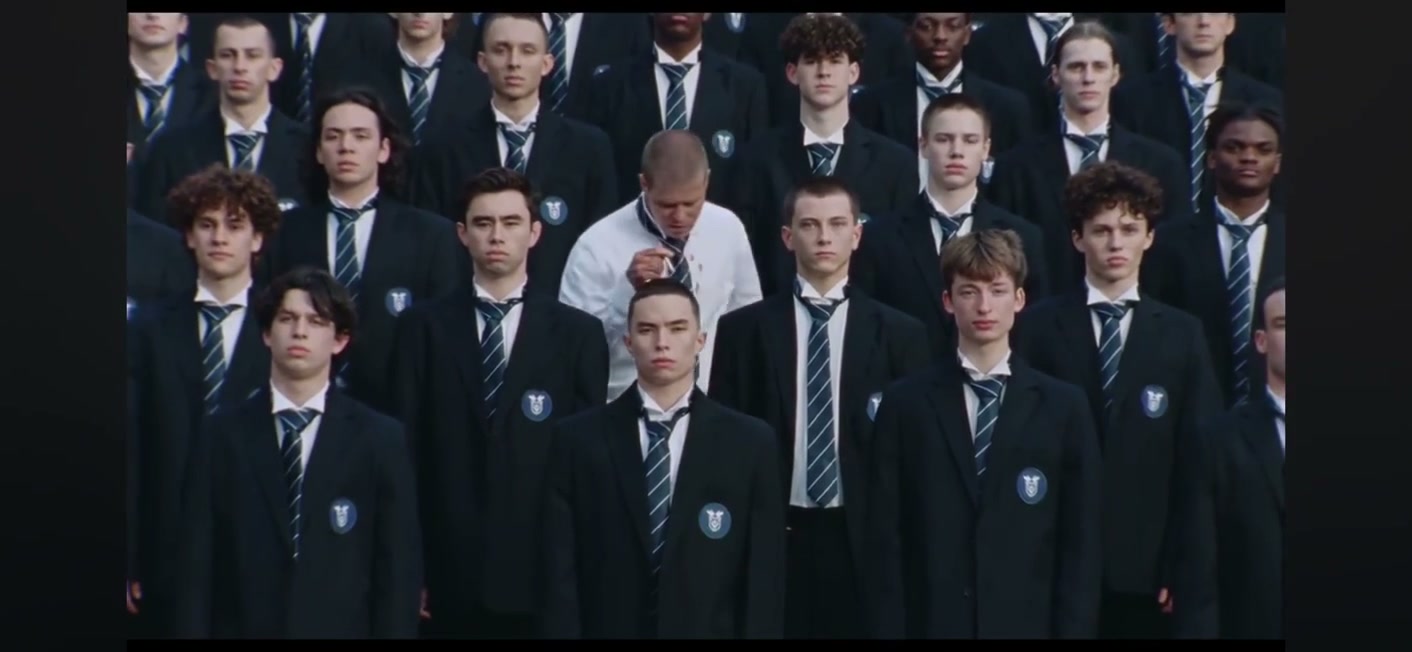
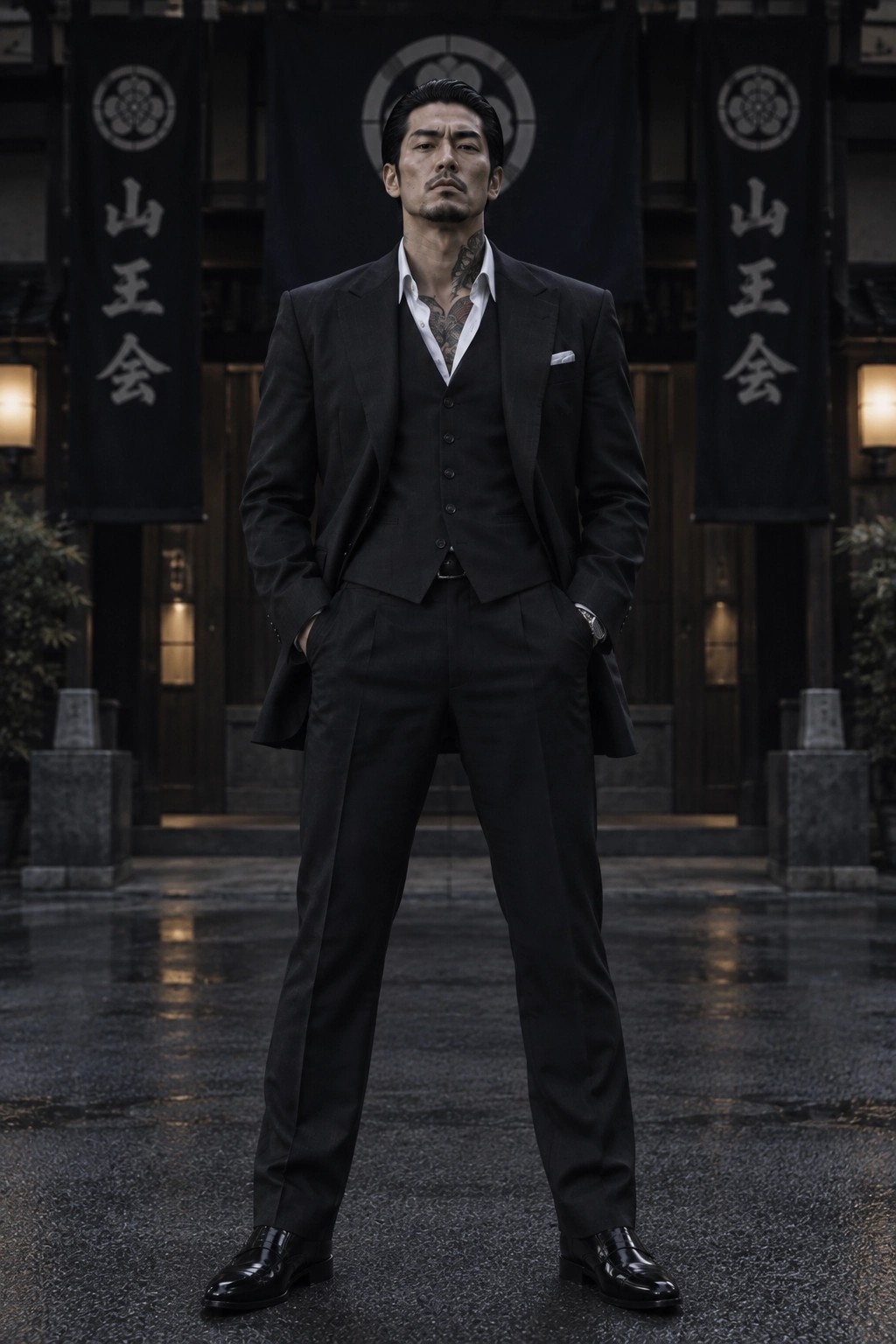
Keep the lead unmistakable

Give the formation a coherent visual identity

The second slot in STORM II AI controls the surrounding cast. It can show the intended group appearance, including clothing, headwear, colors, or other visible character details. This setup is useful for a coordinated fictional ensemble: the entire formation can read as one visual idea while the lead remains distinct. STORM II AI does not ask for an individual upload for every person visible in the source. Its instructions aim to retain the original number, spacing, depth, and relative positions of the crowd. Consistency across many moving bodies is still demanding. Pay attention to repeated silhouettes, merging arms, and changes in clothing when the group bends or returns upright; those moments reveal whether the generated formation remains convincing.

STORM II AI: Give the formation a coherent visual identity

Use synchronized movement as the visual payoff

STORM II AI can support an imagined character entrance, a coordinated costume concept, or a short fictional reveal where the reaction of the group matters as much as the lead. The approximately 28-second performance reference supplies the build-up and collective movement, so you can spend your effort choosing the cast. STORM II AI follows the reference framing instead of offering a new camera-direction workflow. Its original soundtrack is restored during delivery after silent picture generation. A preview may start muted, so check the finished result with sound before deciding it is ready to share. These assets demonstrate the type of scene; they do not establish affiliation with any artist or imply that every new reference will produce the same quality.

Use synchronized movement as the visual payoff

When the crowd is part of the idea

STORM II AI offers a different kind of personalization from a solo dance. The visual relationship between the lead and the surrounding cast is the main creative control. Choose references that communicate that relationship at a glance.

A character reveal with scale

Use STORM II AI to place a fictional hero or a consenting person in a scene that feels larger than a solo performance. The existing formation supplies the scale. You can change the cast’s appearance through the references, but the template does not add an army of new characters or change the number of people on demand.

A coordinated costume study

STORM II AI can explore how one costume concept reads across a group, with a contrasting lead at its center. Shared colors and distinct outlines are easier to compare than very small accessory details. Treat the video as a generated visual concept, and review any important logos, markings, or costume elements before publication.

A different alternative to an indoor ensemble

Choose STORM II AI for two-role control over a synchronized formation. Burning Bridges is more appropriate when your idea needs separately photographed supporting performers in a close indoor scene. Cheba Man centers one dancer while keeping the spectators.

Credits for STORM II AI

Check the estimate in the workspace for this performance and your selected settings. Account credits can also be used in the AI Video and AI Image tools; generation costs vary by model and request.

Starter

For your first ideas.

$8.3/month

$100.0 charged yearly

2,400 credits/year

Up to 400 images

GPT Image 2Nano Banana Pro

Up to 240 videos

Seedance 2.5Kling 3.0 Motion Control
  • Up to 4K images and HD videos, depending on the model
  • Image editing, video creation & motion transfer
  • Watermark-free image & video downloads
  • Generation history in your account
Popular40% OFFSave $238.8

Pro

For a steady creative flow.

$30.0/month$49.9/month

$360.0 charged yearly

21,600 credits/year

Up to 3,600 images

GPT Image 2Nano Banana Pro

Up to 2,160 videos

Seedance 2.5Kling 3.0 Motion Control
  • Up to 4K images and HD videos, depending on the model
  • Image editing, video creation & motion transfer
  • Watermark-free image & video downloads
  • Generation history in your account
  • Use credits across image and video models
Best Value50% OFFSave $599.8

Business

For more creations, more often.

$49.9/month$99.9/month

$599.0 charged yearly

48,000 credits/year

Up to 8,000 images

GPT Image 2Nano Banana Pro

Up to 4,800 videos

Seedance 2.5Kling 3.0 Motion Control
  • Up to 4K images and HD videos, depending on the model
  • Image editing, video creation & motion transfer
  • Watermark-free image & video downloads
  • Generation history in your account
  • Use credits across image and video models

Basic

$0

Try before you subscribe

  • 18 one-time signup credits
  • Generation history included
  • Watermarked previews & downloads
  • Up to 3 images or 1 video
  • Watermark-free downloads require payment

Prices in USD; taxes and total shown at checkout. Subscriptions renew automatically; cancel in Billing settings. Subscription credits expire each period; one-time credits never expire.

Refunds: request within 72 hours. Used purchased credits and applicable non-refundable processing costs (up to 6%) are deducted. Terms · Refund Policy

STORM II AI questions

Photo roles, performance boundaries, sound, and starting a generation.

Why does STORM II AI ask for two photos?

STORM II AI separates the central character from the surrounding cast. Photo 1 belongs to the lead and Photo 2 belongs to the crowd appearance. Those inputs serve different roles, so one image cannot simply be omitted as a duplicate. The supplied video provides the action and arrangement; you do not need to upload a separate motion clip.

Can STORM II AI replace only the lead?

This STORM II AI setup is designed to recast both the lead and the surrounding characters using two references. It requires both slots. If your idea only needs a solo character replacement while spectators stay unchanged, the Cheba Man tool offers that different boundary.

Will STORM II AI reproduce the bows and timing?

STORM II AI uses the reference choreography, synchronized bows, pacing, and camera as its motion guide. These are the intended characteristics of the output, not a guarantee that every generated limb or frame will match. Review the formation at its lowest and highest positions, where crowd consistency and separation between bodies can be easier to judge.

Can the STORM II AI crowd reference show several people?

The second STORM II AI reference can describe the intended surrounding cast, including a group appearance. It remains one reference slot rather than a mapping interface for each person in the source. Use a clear, coherent visual concept and avoid mixing unrelated scenes that leave the model uncertain about which clothing or character style should define the crowd.

What determines STORM II AI credits?

The STORM II AI workspace shows the estimate for its selected model and settings before submission. Resolution and other supported settings can affect that estimate. Compare available plans below and check your account balance before generating. Replacing a photo does not itself submit a job; choosing Generate does, and a further attempt is a separate request with its own cost.

Does STORM II AI include the reference soundtrack?

STORM II AI generates the edited picture without requesting fresh model audio, then attempts to add sound from the reference during delivery. Check both picture and audio status in your result. The workflow does not create a new song or provide music clearance. Generated performance footage should not be presented as proof that a real person participated in the original event.

Choose who stands at the center

Bring a lead reference and a crowd reference to STORM II AI. Review the formation above, assign both roles, and create your own version of the performance.

STORM II AI supplied performance reference