Create a video

ModelSeedance 2.5 Edit

Configured for this template

Gas station dance reference · 17.7s

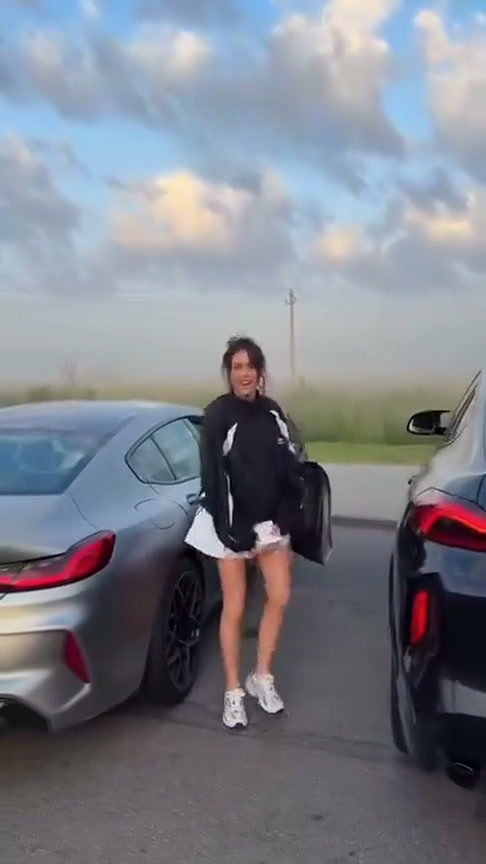
Opening dancer · Photo 1
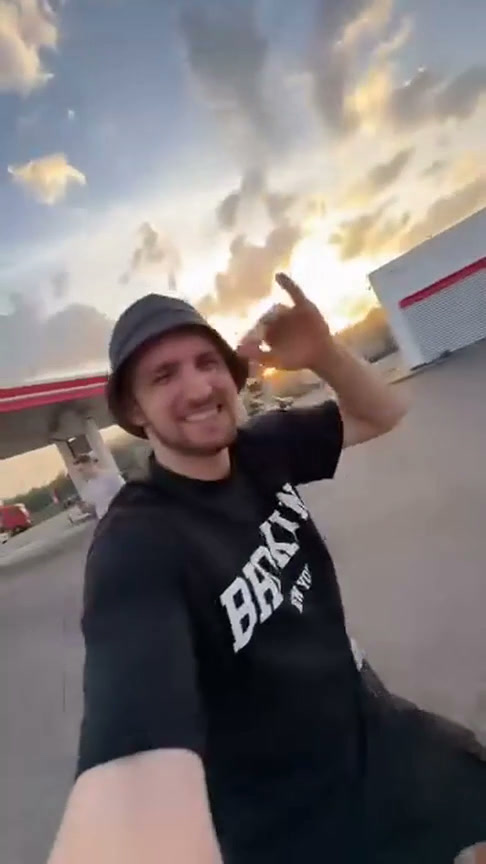
Selfie operator · Photo 2
Car-side performer · Photo 3

Gas Station Dance AI Video Generator

Cast a roadside dance with three photos. Gas Station Dance AI assigns your characters to the opening dancer, the selfie operator, and the performer beside the car.

Gas Station Dance AI supplied performance reference

Turn a roadside moment into your own scene

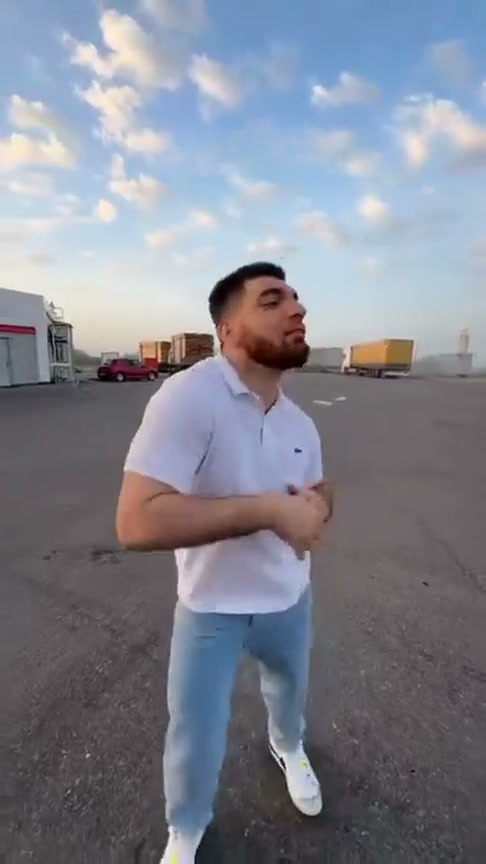
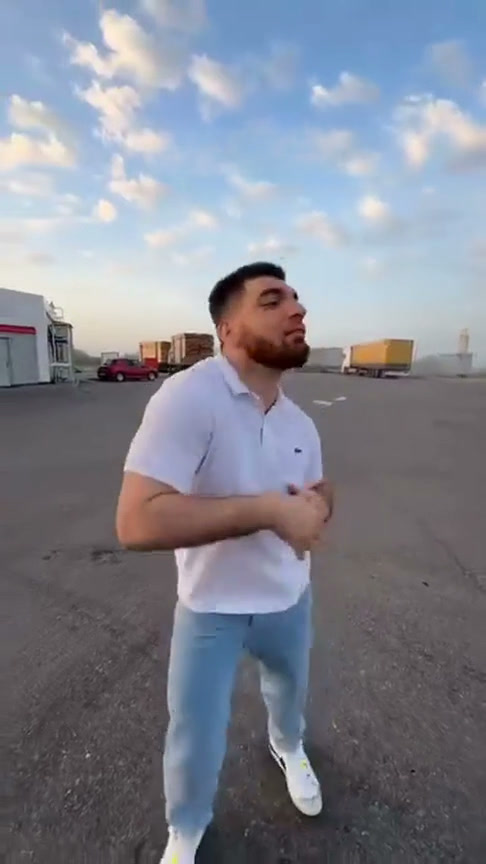
Gas Station Dance AI recasts three roles in a roadside performance: the opening dancer, the selfie operator, and the performer beside the car. The selfie operator returns at the end. Gas Station Dance AI supplies the location and moving camera, so your three photos can come from elsewhere. Play the approximately 17.7-second reference once before uploading. The order of appearances shows exactly where each intended character belongs.

Gas Station Dance AI: Turn a roadside moment into your own scene

Make your Gas Station Dance AI video

Preview the performance, assign your references, and review the result.

  1. STEP 1

    Check the order of appearances

    Watch the Gas Station Dance AI reference before uploading. Identify the opening dancer, selfie operator, and car-side performer, then notice the selfie operator’s return.

  2. STEP 2

    Assign three character photos

    Add the three Gas Station Dance AI references and check the preview in each slot. Keep one intended person per image. If you change your mind about a role, use Replace instead of removing earlier photos and shifting the remaining references into different positions.

  3. STEP 3

    Create and compare both selfie shots

    Sign in and check the credit estimate before starting Gas Station Dance AI. When the video becomes available, play the entire result. Compare the returning selfie character with its earlier appearance, inspect the third performer near the car, and listen to the sound before downloading.

Explore the Gas Station Dance AI scene

Assign three photos to the dancer, selfie operator, and car-side performer.

Make the opening dancer set the tone

Photo 1 in Gas Station Dance AI replaces the person who opens the clip. An upper-body or fuller view provides more information about clothing and proportions than a small face crop. Gas Station Dance AI uses the photograph to guide the complete appearance while the reference supplies the dance. A jacket, hat, or strong color can help viewers recognize the person as the camera moves, provided it is actually visible in the image. Keep the reference focused on one person, and avoid asking a cluttered group photograph to identify which individual belongs in the opening role.
Gas Station Dance AI: Make the opening dancer set the tone

One selfie character, two appearances

Photo 2 has a special responsibility in Gas Station Dance AI: it covers the selfie operator and that person’s return near the ending. You only upload this reference once. The template asks the same character to remain consistent across both appearances, including clothing and recognizable details. Gas Station Dance AI therefore benefits from an image with a clear face, hair, shoulders, and outfit rather than a highly obstructed selfie. After generation, compare the first and final appearances of this role. A strong first shot does not guarantee a matching ending, especially when the camera position changes. This repeated role is part of the supplied choreography, not a fourth person that needs another image.

Gas Station Dance AI: One selfie character, two appearances

Give the car-side performer a distinct finish

Photo 3 controls the performer beside the vehicle. Gas Station Dance AI keeps this person separate from the opening dancer and selfie operator, so upload a third intended character rather than an extra view of a different slot. A visually distinct outfit can make the cut between roles easier to follow. Gas Station Dance AI takes the station, vehicle, camera, and performance from the reference instead of requiring location or car photographs. The workflow also attempts to restore the reference sound during delivery. Check the vehicle edges, hands, clothing, and transitions as well as each person before downloading a finished clip.

Gas Station Dance AI: Give the car-side performer a distinct finish

A three-person story without another shoot

Gas Station Dance AI gives each reference a specific part in a compact sequence. It works well for concepts where a changing cast and returning camera operator are more useful than one continuous solo performance.

A fictional road-trip crew

Use Gas Station Dance AI with yourself and consenting friends to imagine a playful travel stop. The source supplies the roadside setting, so your photographs can come from elsewhere. Present the result as an AI-created remix rather than evidence of a trip or performance that those people actually filmed.

Three costumes with a shared theme

Gas Station Dance AI can turn a coordinated set of character looks into a scene with several appearances. Choose outfits that belong together while keeping each role recognizable. Fine lettering or small accessories may change in motion, so they should not carry the entire concept.

A short clip with an ending callback

Pick Gas Station Dance AI when you like the return to the selfie operator at the end. That structure is already part of the reference, requiring no separate editing timeline. For one dancer and a watching crowd, try Cheba Man; for an indoor lead and optional supporting cast, explore Burning Bridges instead.

Credits for Gas Station Dance AI

Check the estimate in the workspace for this performance and your selected settings. Account credits can also be used in the AI Video and AI Image tools; generation costs vary by model and request.

Starter

For your first ideas.

$8.3/month

$100.0 charged yearly

2,400 credits/year

Up to 400 images

GPT Image 2Nano Banana Pro

Up to 240 videos

Seedance 2.5Kling 3.0 Motion Control
  • Up to 4K images and HD videos, depending on the model
  • Image editing, video creation & motion transfer
  • Watermark-free image & video downloads
  • Generation history in your account
Popular40% OFFSave $238.8

Pro

For a steady creative flow.

$30.0/month$49.9/month

$360.0 charged yearly

21,600 credits/year

Up to 3,600 images

GPT Image 2Nano Banana Pro

Up to 2,160 videos

Seedance 2.5Kling 3.0 Motion Control
  • Up to 4K images and HD videos, depending on the model
  • Image editing, video creation & motion transfer
  • Watermark-free image & video downloads
  • Generation history in your account
  • Use credits across image and video models
Best Value50% OFFSave $599.8

Business

For more creations, more often.

$49.9/month$99.9/month

$599.0 charged yearly

48,000 credits/year

Up to 8,000 images

GPT Image 2Nano Banana Pro

Up to 4,800 videos

Seedance 2.5Kling 3.0 Motion Control
  • Up to 4K images and HD videos, depending on the model
  • Image editing, video creation & motion transfer
  • Watermark-free image & video downloads
  • Generation history in your account
  • Use credits across image and video models

Basic

$0

Try before you subscribe

  • 18 one-time signup credits
  • Generation history included
  • Watermarked previews & downloads
  • Up to 3 images or 1 video
  • Watermark-free downloads require payment

Prices in USD; taxes and total shown at checkout. Subscriptions renew automatically; cancel in Billing settings. Subscription credits expire each period; one-time credits never expire.

Refunds: request within 72 hours. Used purchased credits and applicable non-refundable processing costs (up to 6%) are deducted. Terms · Refund Policy

Gas Station Dance AI questions

Photo roles, performance boundaries, sound, and starting a generation.

Why does Gas Station Dance AI require three photos?

Gas Station Dance AI has three distinct character roles. Photo 1 is the opening dancer, Photo 2 is the selfie operator, and Photo 3 is the performer beside the car. All three references are required for this setup. The final selfie appearance reuses Photo 2, so it does not introduce another upload or a fourth character.

Can Gas Station Dance AI use the same person in every slot?

The Gas Station Dance AI interface assigns slots by role, while the reference scene contains distinct performers. Clear, separate intended identities make those roles easier to follow. Using the same appearance everywhere may make the result confusing and is not a guarantee of a consistent multi-copy character effect. Choose references deliberately and inspect the transitions in the output.

Can I change the location in Gas Station Dance AI?

Gas Station Dance AI is built around the supplied station and vehicle scene. It has character photo slots rather than a location upload or a camera editor. The template aims to retain the source setting while replacing the cast. For a different location or performance, use the general AI Video workspace with inputs supported by your chosen model.

Which performance does Gas Station Dance AI follow?

Gas Station Dance AI follows the loaded reference, approximately 17.7 seconds. This tool does not offer an extension that adds new choreography after its ending.

Does Gas Station Dance AI keep the original sound?

Gas Station Dance AI attempts to restore audio from the reference after generating the edited picture. Listen to the final result and check the displayed delivery state, since sound restoration can fail separately. A muted preview does not itself mean the download has no sound. The inclusion of reference audio does not grant permission to distribute copyrighted music.

What should I check before paying for Gas Station Dance AI?

Check that Gas Station Dance AI shows the correct three photos in their intended roles, that the reference is ready, and that the displayed estimate fits your available credits. Uploading alone does not submit a generation. Review the plans and refund information if you need more credits; another attempt creates a separate paid request and does not guarantee an improved result.

Your three characters, the same roadside energy

Return to Gas Station Dance AI, assign the opening dancer, selfie operator, and car-side performer, then check the estimate before creating your clip.

Gas Station Dance AI supplied performance reference